Dropbox vs Google Drive vs OneDrive: Cloud Storage Pricing — The Operator's Playbook
Three vendors sell the same promise — your files, everywhere, safe — and charge for it differently. Dropbox charges per seat for a shared pool that grows with active licences. Google charges for one pool covering Drive, Gmail and Photos, with business storage pooled per user. Microsoft charges per seat for a fixed 1 TB per person and bundles desktop Office apps. All prices are US list prices in USD, excluding tax, as published or corroborated on 2026-11-07. Where a figure comes from 2026 reads, the table says so. One conversion runs through every number here: 1 TB equals 1,024 GB.
Who this playbook is for — and who should stop here
This guide is for whoever signs the storage invoice: a solo operator, a household, or a founder buying 5 to 100 seats. Every cost below is reproducible from the two formulas in the break-even section. If you run a regulated practice that needs a signed data-processing agreement, region-pinned storage, or an auditable retention policy, take the enterprise route instead — none of these ladders publishes those guarantees at list price. If your files already live mostly in one ecosystem, switching usually costs more than it saves.
Dropbox: the ladder
| Plan | Price | Storage | Version history | Authority |
|---|---|---|---|---|
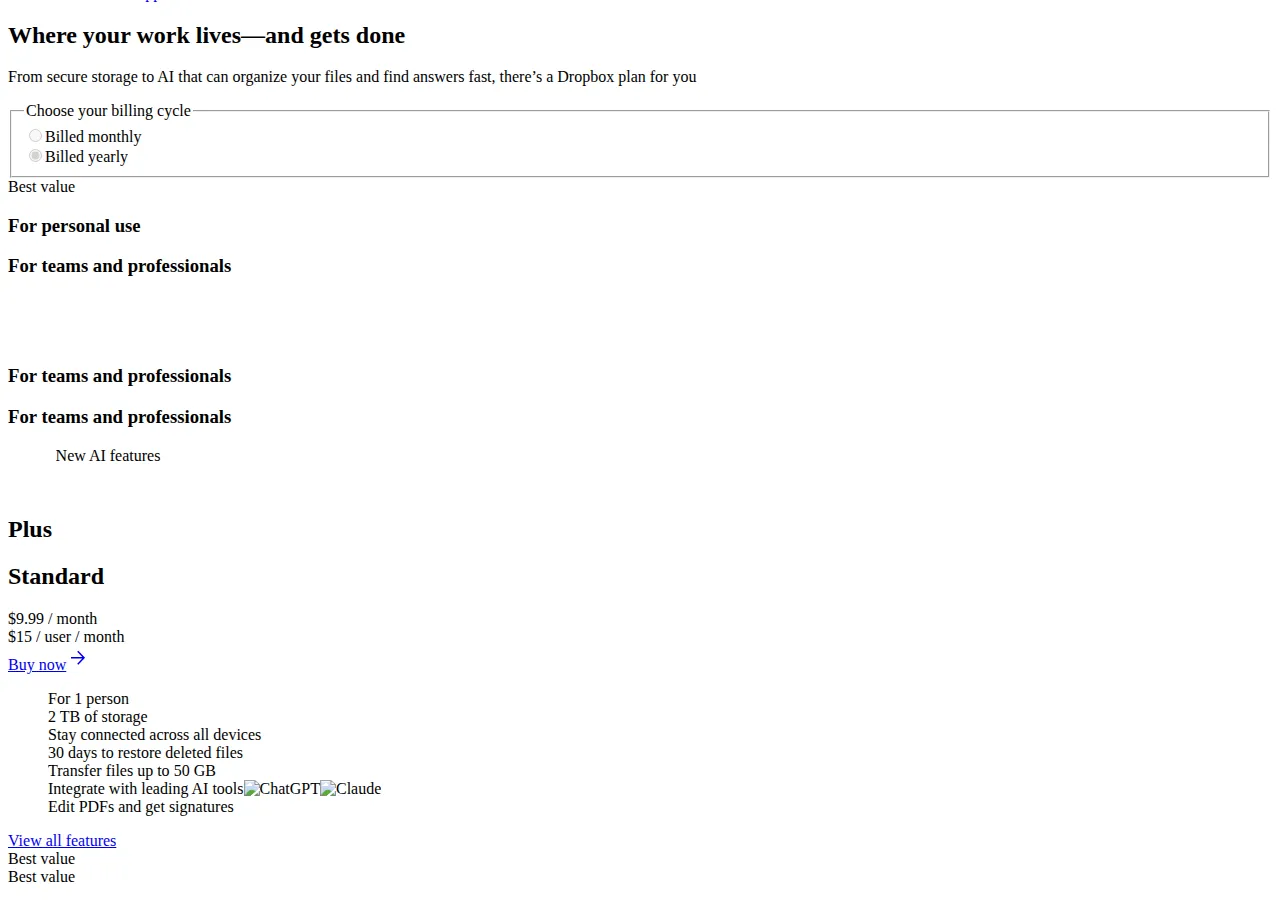
| Plus | $9.99/mo annual; $11.99 monthly | 2 TB, 1 person | 30 days | Vendor; monthly reads |
| Professional | $16.58/mo annual; $19.99 monthly | 3 TB, 1 person | 180 days | 2026 reads |
| Family | $16.99/mo annual; $19.99 monthly | 2 TB shared, up to 6 | 30 days | 2026 reads |
| Standard | $15/user/mo annual; $18 monthly | 3 TB + 1 TB/licence | 180 days | Vendor + help |
| Advanced | $24/user/mo annual; $30 monthly | 15 TB + 5 TB/licence | 1 year | Vendor; monthly reads |
Plus is the solo default; Professional adds 180-day history for client work. Standard and Advanced grow a shared pool per actively-used licence; an empty seat adds cost, no storage. Family shares 2 TB with up to six people for $203.88 a year. Professional, Family, and all monthly prices rest on 2026 reads; the plans page shows annual billing only.
Google Drive and Google One: the ladder
| Plan | Price | Storage | Sharing | Authority |
|---|---|---|---|---|
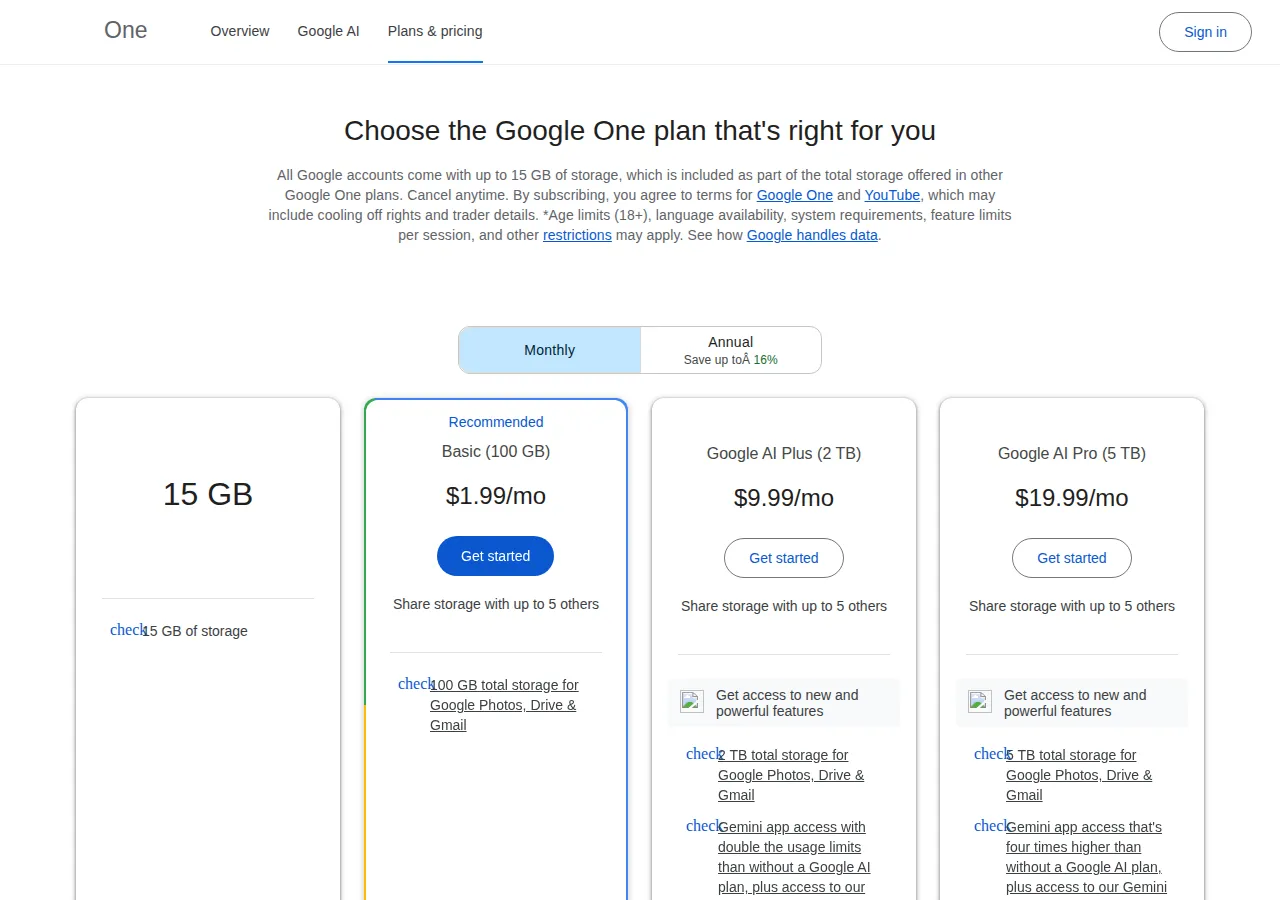
| Basic | $1.99/mo; $19.99/yr | 100 GB | 5 others | Vendor; annual reads |
| Standard | $2.99/mo; $29.99/yr | 200 GB | 5 others | 2026 reads |
| Plus (2 TB) | $9.99/mo; $99.99/yr | 2 TB | 5 others | Vendor; annual reads |
| AI Pro | $19.99/mo | 5 TB | 5 others | Vendor page |
Free is 15 GB; the 200 GB tier did not appear on the Google One page opened for this guide and rests on 2026 reads — confirm it at checkout. The 2 TB tier is "Plus" on that page and "Google AI Plus" in 2026 reads — same price either way. AI Pro buys 5 TB at $19.99 a month with no annual price verified, so this guide prices it at $239.88 a year. Every paid tier shares with up to five others: the 2 TB plan is $16.67 per person per year. For Google's business ladder against Microsoft's, see the Google Workspace vs Microsoft 365 business pricing playbook.
OneDrive and Microsoft 365: the ladder
| Plan | Price | OneDrive storage | People | Authority |
|---|---|---|---|---|
| Microsoft 365 Basic | $1.99/mo; $19.99/yr | 100 GB | 1 | 2026 reads |
| Personal | $9.99/mo; $99.99/yr | 1 TB | 1 | Vendor page |
| Family | $12.99/mo; $129.99/yr | 2 TB shared | 1–6 | Vendor page |
| Business Basic | $7/user/mo annual; $8.40 monthly | 1 TB/user | 300 | 2026 reads |
| Business Standard | $14/user/mo annual; $16.80 monthly | 1 TB/user | 300 | 2026 reads |
| Business Premium | $22/user/mo annual | 1 TB/user | 300 | 2026 reads |
A free Microsoft account includes 5 GB. Personal at $99.99 a year buys 1 TB plus desktop Word, Excel, PowerPoint, Outlook and OneNote — the same price as Google's 2 TB, half the storage, plus desktop Office. Family at $129.99 a year covers up to six people on one shared 2 TB pool; the pool is shared, not 1 TB per person (2026 reads). The standalone 100 GB plan and Microsoft 365 Basic at $1.99 a month rest on 2026 reads: the OneDrive pricing page did not render this cycle. The business prices also rest on 2026 reads: Basic rose from $6 to $7 and Standard from $12.50 to $14 on 1 July 2026, Premium at $22, monthly billing about 20% more. Business plans cap at 300 users with 1 TB each; storage never grows with headcount.
Worked example: a 12-person studio buys storage
A 12-person studio holds about 18 TB, needs desktop Office for all, and wants 180 days of history. Four quotes:
Workspace Standard: 12 × $14 × 12 = $2,016 a year for 24 TB pooled — capacity clears by 6 TB, but the team gets Google's editors. Microsoft 365 Business Standard: 12 × $14 × 12 = $2,016 a year for 12 TB — capacity fails by 6 TB, and no add-on price was verified this cycle. Dropbox Standard: 12 × $15 × 12 = $2,160 a year for 14 TB pooled — capacity fails by 4 TB, history clears at 180 days. Dropbox Advanced: 12 × $24 × 12 = $3,456 a year for 60 TB pooled — every bar clears, at $1,440 a year more. The choice is Workspace Standard at $2,016 a year, or Dropbox Advanced at $3,456 a year with desktop Office bought separately. Our editorial analysis found studios usually pick the cheaper seat.
A photographer needs 2 TB and 180 days of history. Dropbox Plus gives 2 TB for $119.88 a year but only 30 days of history; Professional gives both for $198.96 — the 180-day window costs $79.08 a year. Google One 2 TB gives 2 TB for $99.99 a year with 30-day history on non-native files. The photographer who cannot lose a six-month-old edit has one option here: Professional.
Founder & CEO Insight — Enow A. Jovial
The monthly cost math at 5, 25 and 100 users
Annual billing; storage is the team total, assuming every licence is actively used.
| Plan | 5 users | 25 users | 100 users |
|---|---|---|---|
| Dropbox Standard | $900/yr / 7 TB | $4,500/yr / 27 TB | $18,000/yr / 102 TB |
| Dropbox Advanced | $1,440/yr / 25 TB | $7,200/yr / 125 TB | $28,800/yr / 500 TB |
| Workspace Standard | $840/yr / 10 TB | $4,200/yr / 50 TB | $16,800/yr / 200 TB |
| MS Business Standard | $840/yr / 5 TB | $4,200/yr / 25 TB | $16,800/yr / 100 TB |
At 25 users, the two $14 plans and Dropbox Standard all cost roughly $4,200 to $4,500 a year, but buy 27 TB, 50 TB and 25 TB — nearly twice the room on Workspace Standard. At 100 users, $16,800 buys 200 TB on Workspace Standard and 100 TB on Microsoft Business Standard; Dropbox Standard costs $18,000 for 102 TB. Dropbox Advanced is the outlier: $7,200 a year at 25 users buys 125 TB. Microsoft Business Basic at 25 users costs $2,100 a year for 25 TB. Run your own numbers through the break-even calculator.
Cost per gigabyte and the break-even lines
On annual billing, the solo cost per gigabyte per year is $0.0585 on Dropbox Plus, $0.0488 on Google One 2 TB, $0.0469 on AI Pro 5 TB, $0.0976 on Microsoft 365 Personal, and $0.1999 on either 100 GB plan. Per terabyte per year: $59.94 Plus, $50.00 Google One 2 TB, $47.98 AI Pro, $99.99 Personal, $65.00 Family. Break-evens. First, Plus costs $19.89 a year more than Google One 2 TB — 16.6% more, for the sync client and 50 GB transfers. Second, Personal and Google One 2 TB both cost $99.99 a year — the break-even is whether desktop Office is worth 1 TB. Third, at 25 users Advanced costs $2,700 more than Standard for 98 TB more — $27.55 per extra terabyte, against Standard's $166.67 — so it pays once the team needs more than 27 TB. Fourth, monthly billing adds $24.00 a year on Plus, $19.89 on Google One 2 TB, and $25.89 on Family. For object storage rather than synced drives, the Cloudflare R2 vs AWS S3 vs Backblaze B2 pricing comparison runs the same arithmetic.
Storage, version history and sharing limits
| Vendor | Version history | Deleted files | Sharing ceiling | Storage growth rule |
|---|---|---|---|---|
| Dropbox | 30d Plus; 180d Standard/Professional; 1y Advanced | 30–365 days | 6 people | +1 TB/active Standard licence; +5 TB/active Advanced licence |
| Google Drive | Native indefinite; others 30d / 100 versions | Trash: 30 days | 6 people per plan | Fixed pool per tier |
| OneDrive | 30d personal; 93d work | 30d personal; 93d work | 6 people | 1 TB/user; fixed pool personal |
Version history differs by tier: Dropbox runs 30 days on Plus to a full year on Advanced; Google keeps native Docs, Sheets and Slides versions indefinitely and deletes other versions after 30 days or 100 newer versions unless kept; OneDrive keeps 30 days personal and 93 days work, with a 30-day rewind for Microsoft 365 subscribers. (Dropbox rows: vendor pages; Google and OneDrive rows: support pages as quoted in 2026 reads.) All three vendors cap a shared plan at six people, so seven people means two subscriptions or a business plan. Dropbox transfer limits: 50 GB on Plus, 100 GB on team plans.
Paying for it: invoices, entities and data residency
All three vendors bill in USD plus local tax, so expect FX movement outside the United States. Pay by card or ACH, not international Wire — it needs the vendor's SWIFT code and IBAN. A US buyer needs the vendor's W-9 and EIN before the first invoice — never your own SSN. An LLC, an S-Corp or a C-Corp buys seats the same way, but the invoice must carry the entity's legal name exactly. Export usage as CSV through the admin console or the vendor's API; reconcile monthly against headcount. Check data residency before signing; GDPR follows the data, not the invoice. The CAC of a seat is trivial; the LTV of the files on it is not. For the meeting side of the same stack, the Zoom vs Google Meet vs Microsoft Teams pricing comparison prices the video seat.
The decision table
| Buyer | Buy this | Because | Authority |
|---|---|---|---|
| Solo, 2 TB, cheapest | Google One 2 TB | $99.99/yr; $50.00/TB | Vendor page |
| Solo, 2 TB, needs 180-day history | Dropbox Professional | Only 180-day solo tier | 2026 reads |
| Household up to 6 | Google One 2 TB | $16.67 per person per year | Vendor page |
| Household in Office apps | Microsoft 365 Family | $21.67 per person; desktop apps | Vendor page |
| Team 5–25, most room | Workspace Standard | $84.00/TB/yr pooled | Vendor page |
| Team 5–25, lives in Outlook | MS Business Basic | $2,100/yr at 25 users; 25 TB | 2026 reads |
| Team 25+, heavy | Dropbox Advanced | $57.60/TB/yr | Vendor + help |
If none fits, buy less: start on the cheapest tier that clears current volume, then measure growth for a quarter. Upgrades are immediate and downgrades free, so the expensive mistake is the year-long commitment.
The 5-step migration workflow
- Inventory before you move. List every folder's size, every shared link, and every person with access.
- Buy the destination first, one seat, annual billing. Confirm the price at checkout, confirm the storage lands, and upload a 1 GB test folder. Do not cancel the old plan until it syncs to a second device.
- Move in waves, largest folders last. Shared team folders first while both services are live, then personal folders, then archives, pausing sync on the old service per folder as it lands.
- Rebuild sharing from the inventory. Recreate each shared link with the same expiry and password, revoke the old links only after the new ones are confirmed, and check the version-history window before deleting anything.
- Verify, then cancel. Open ten files at random from the new drive, including the largest one; export the old billing history as CSV, confirm the renewal is off, then cancel.
Execution checklist
- [ ] Count stored terabytes and seats before choosing a tier.
- [ ] Confirm the annual price on the vendor's checkout page.
- [ ] Confirm the version-history window covers your longest gap.
- [ ] Confirm the sharing ceiling.
- [ ] Confirm the admin account holder.
- [ ] Calendar the renewal date with a 30-day warning.
- [ ] Export billing history as CSV monthly; reconcile seats.
- [ ] Keep one offline copy of anything you cannot recreate.
What to do this week
Pick the decision-table row for your headcount, buy one seat, and move one real folder through it. If the folder lands, the links work, and the invoice matches, buy the rest. If any check fails, you spent one month's price to learn it.